
To Invite Homeowners to View Bids
When bids are ready for homeowner review, you will see those on the Dashboard, listed in the section called "Homeowners Awaiting Invitation."
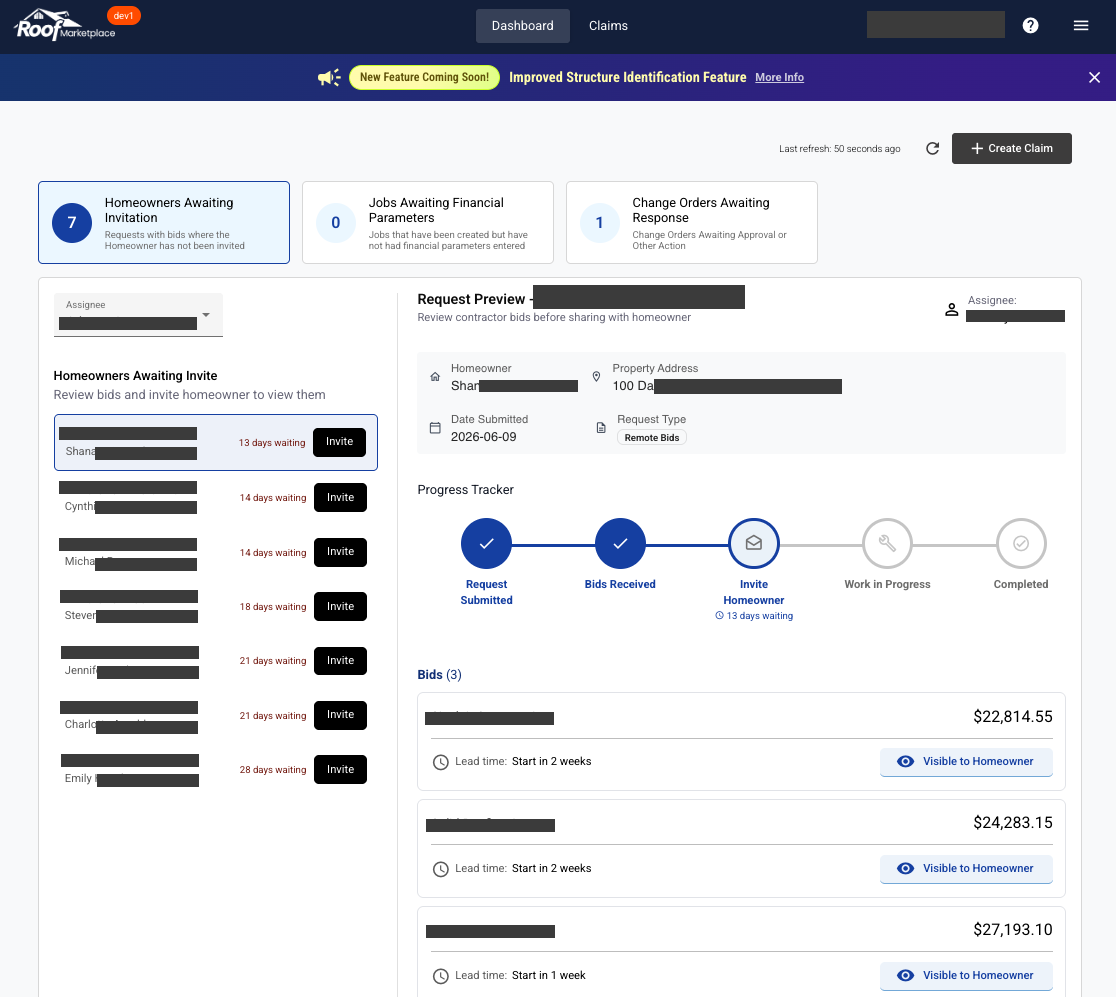
When clicking the Homeowners listed on the left, you can toggle which bids you want the homeowner to see by clicking "Visible to Homeowner" accordingly.
Once the desired bids are selected as visible, click the "Invite" button in the left panel.
A pop-up will then ask you to confirm that we have the correct homeowner contact information. Once confirmed, click "Send Invitation."