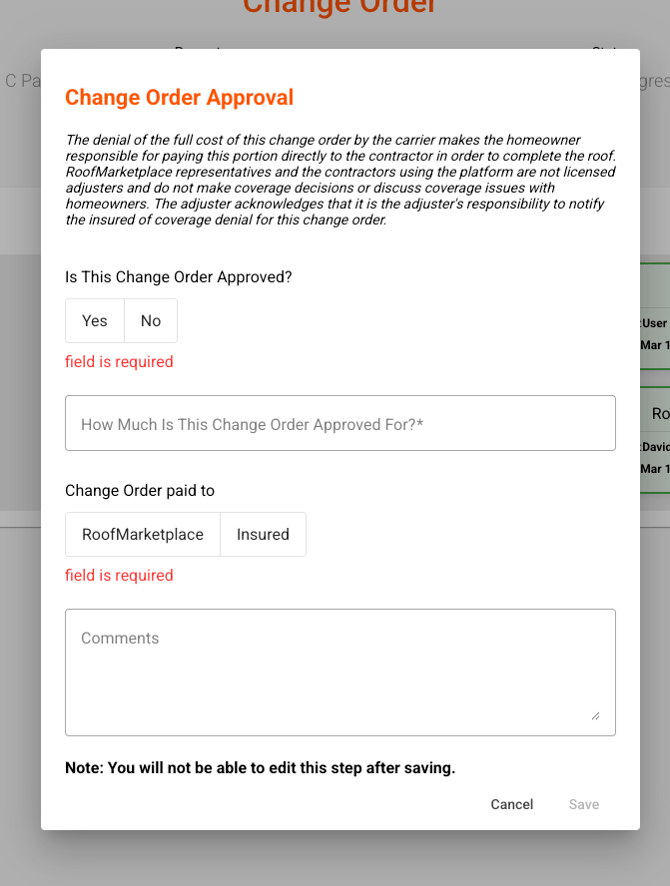
To Review Change Orders
In the event of a needed change order, you will see those on the Dashboard, listed in the section called "Change Orders Awaiting Response."
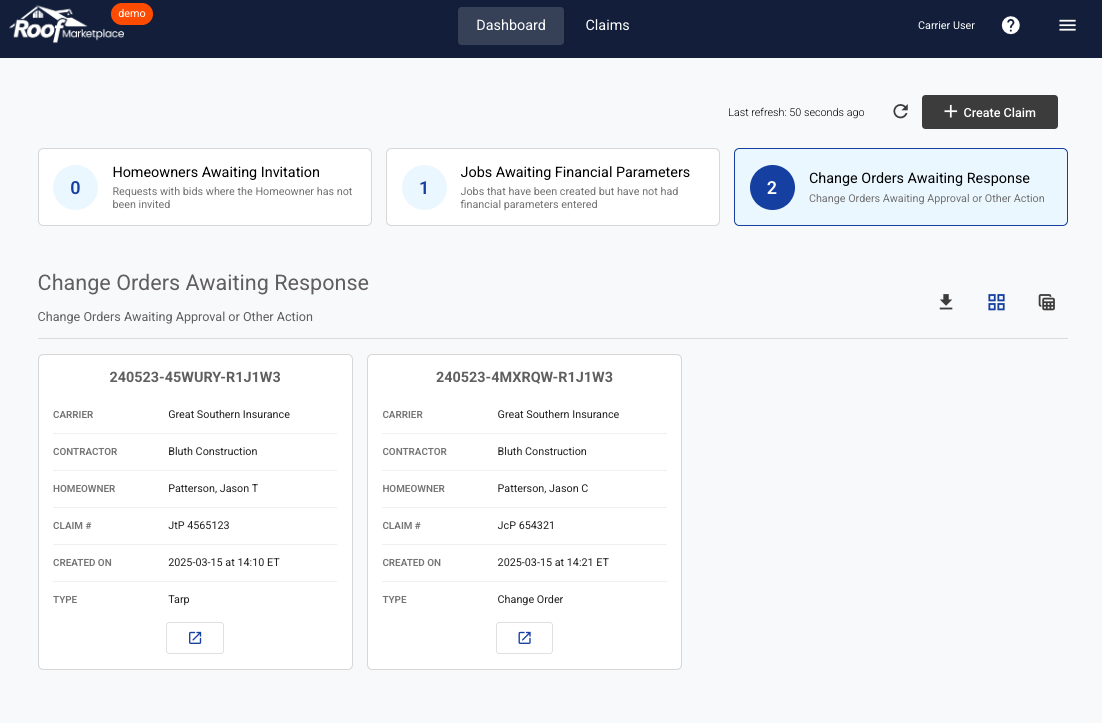
To review the Change Order, click the  button on the request.
Once viewing the Change Order, click the 'Identify Change Order' tile to view the details click the 'Change Order Approval' tile to review the details of the change order.
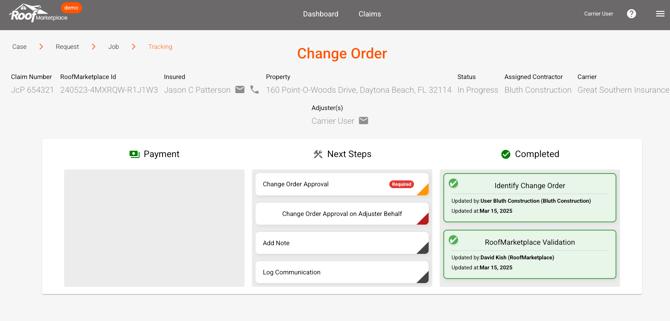
If approved, close that tile and click the "Change Order Approval" tile enter the following information can click "Save" to approve:
-
Is this Change Order approved? (Yes or No)
- How much is the Change Order approved for?
- Change Order is paid to (RoofMarketplace or Insured)
- Any applicable comments